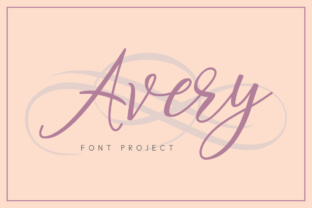
Avery: A Script Font for Web Designers
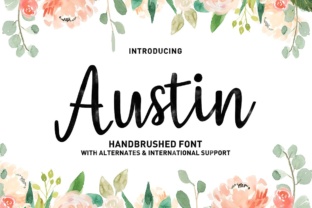
As a web designer, I'm always on the lookout for fonts that can elevate a design without sacrificing clarity. Avery, a handcrafted script font, has quickly become one of my go-to choices for adding a personal touch to digital projects. Its elegant flow and modern charm make it ideal for headers, hero sections, and decorative elements that need to stand out without overwhelming the user.
Testing Avery in a Hero Section
I recently used Avery on a boutique online store’s homepage. The goal was to create a clean, inviting look that felt both professional and approachable. Placing Avery in the hero section above the main call-to-action button made a world of difference. The font’s soft curves and subtle swashes gave the page a sense of warmth that a standard sans serif might not have achieved. It worked especially well against a light background with a slight gradient, allowing the text to pop without competing with the imagery.
One thing I noticed right away is how versatile Avery feels. It doesn’t feel too ornate or difficult to read, which is crucial when designing for mobile screens. On smaller devices, the font still maintained its legibility, making it a great choice for responsive layouts where space is limited.
Using Avery in Call-to-Action Buttons
Another area where Avery shines is in CTA buttons. I tested it on a product landing page, where the button text needed to be bold enough to catch attention but still maintain a sense of elegance. The font’s natural flow helped it feel more like a hand-painted sign than a generic digital element, which added an extra layer of authenticity to the design.
For this project, I paired Avery with a clean sans serif for the body copy. The contrast between the two fonts created a balanced visual hierarchy, making the site both aesthetically pleasing and easy to navigate. This pairing also helped ensure that the font didn’t get lost in dense content areas, keeping the overall layout readable and functional.
Accessibility and Readability Considerations
While Avery is beautiful, it's important to use it wisely. In my testing, I found that it works best for short phrases, such as headings, logos, and decorative accents. For longer blocks of text, especially on dark backgrounds or small screens, it can become harder to read. That’s why I recommend using it sparingly—reserving it for key visual elements rather than body copy.
When designing for accessibility, I always check how a font performs on different screen sizes and color combinations. Avery handled most of these scenarios well, but I did notice that on very small buttons or form labels, it could appear a bit too delicate. In those cases, switching to a simpler typeface made the interface more usable without sacrificing style.
Pairing Avery with Other Fonts
Font pairing is a critical part of any web design project, and Avery offers a lot of flexibility in this regard. I’ve used it alongside a variety of other fonts, from bold display faces to minimalist sans serifs. One of my favorite combinations was pairing Avery with a simple serif font for a blog header. The result was a design that felt both modern and timeless, perfect for a creative portfolio or editorial site.
For more technical projects, such as dashboards or admin interfaces, I tend to avoid Avery altogether. Its decorative nature isn’t suited for environments where clarity and speed are top priorities. But for branding, marketing pages, and personal websites, it adds a unique personality that sets a site apart from the competition.
Real-World Applications
Avery has proven itself in a wide range of web projects. I’ve used it on a coaching website’s homepage, where it helped convey a sense of trust and creativity. I’ve also seen it work well in course sales pages, where the font’s artistic flair complements the educational tone of the content.
One of the most satisfying uses came during a redesign of a digital brand kit. The client wanted a font that felt both professional and personal, and Avery fit the bill perfectly. Whether it was for social media graphics, email templates, or promotional banners, the font consistently delivered a polished, cohesive look that aligned with the brand’s identity.
As a web designer, I appreciate fonts that offer both beauty and practicality. Avery checks both boxes. It’s a premium font that brings a sense of craftsmanship to digital projects, while still being adaptable enough to work within modern web design principles. Whether you’re building a portfolio site, launching a new product, or updating an existing brand, Avery is a font worth considering for its visual impact and usability.